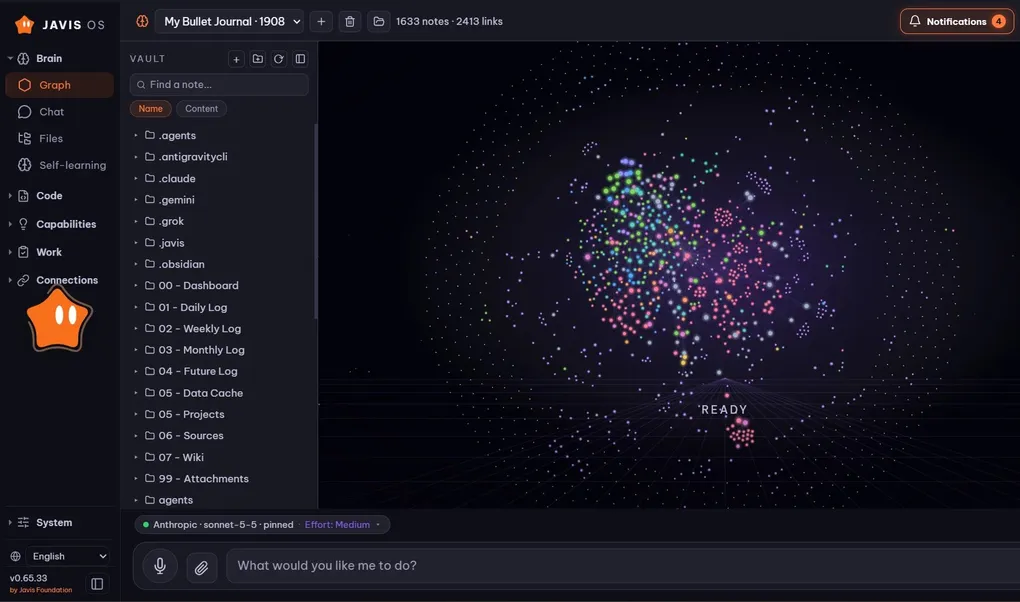
Javis OS is a self-hosted AI assistant: install it on your laptop or a small VPS, then talk to it by text or voice. It reads and writes files, calls tools through MCP, runs skills, delegates background tasks, and schedules its own work.
The biggest difference from a typical chat app: you can swap the brain, while the memory belongs to you.
Why use a self-hosted assistant?
Use an AI app every day for a year, and it fills up with hundreds of conversations, memories about you, custom instructions, and automations. All of it lives on the provider’s servers, in their format.
Then a better model comes out somewhere else. You can try it, but you cannot bring your work with you. So you stay, because leaving means starting over, even if the old model is no longer the best.
Javis turns that around. Everything you build up is stored as ordinary files on your computer:
- Conversation history lives in
conversations.db, all in one place regardless of which brain responds. - Memory lives in
memory/, with each memory stored as a Markdown file. - Knowledge lives in the Wiki and Sources folders, which you can open in Obsidian.
- Skills, agents, and workflows are all Markdown files.
Even if Javis disappears tomorrow, your knowledge is still there, in plain text.
14 brains to choose from
Four options use the subscription you already pay for, with no separate API purchase: Claude Code, ChatGPT (via Codex), Grok Build, and Antigravity CLI.
Seven options only need an API key: OpenRouter, OpenAI API, Anthropic API, Google Gemini, Groq, DeepSeek, and Ollama Cloud. Add Ollama running locally and any OpenAI-compatible or Anthropic-compatible endpoint.
Switch with one click on the Models page. The capabilities live in Javis, so every brain gets the same toolkit: MCP connections, reading and writing the brain, skills, Kanban tasks, agents, workflows, and reminders.
What can Javis do?
- Talk hands-free using voice, with free Edge TTS voices or OpenAI and ElevenLabs.
- Report using real data from the services you connect: Pancake POS, Zalo, Meta ads, Google, TikTok, Google Workspace, and more.
- Run background tasks: describe a goal, and the AI writes the specification, works in the background, and sends the result back to the chat where you assigned it.
- Learn on its own: after each conversation, Javis extracts memories and builds Wiki knowledge. Each learning update is a Git commit you can undo with one tap.
- Answer through Telegram, Zalo, Slack, and WhatsApp, wherever you already chat.
How do you install it?
The easiest way: give the Javis OS repository link to Claude Code or Codex on your computer and say “install Javis OS for me.” Or run this command yourself on Linux or macOS:
git clone https://github.com/blogminhquy/javis-os.git javis && cd javis && chmod +x install.sh && ./install.shOnce it finishes, open http://localhost:7777 and sign in to your brain on the Models page.
To keep Javis running 24/7, rent a VPS with Docker and follow the deployment guide.
A candid note
Subscriptions such as Claude Pro and Max are intended for ordinary personal use. Continuous background work, running on a VPS, or sharing one account among several people falls outside that scope and carries a risk of account suspension, although Javis has not recorded any cases so far. For peace of mind, set Claude Code to use an API key on the Models page, or point the background task model to another provider.
If you have questions or suggestions, open an issue on GitHub.